
Rewind and catch-up
Go back to what you missed.
Scrub back into a live channel when the stream allows it, or open the archive your provider keeps and start the program from the beginning.


Free and Boost Rewinding inside the live stream is free. Catch-up from an archive needs Boost.

Works on
Two different kinds of going back
People ask for one thing, "rewind live TV", and providers offer two.
The first is the rewind window inside the live stream. Many providers publish a channel with the last few minutes still available. When that window is at least five minutes long, Jetpack IPTV turns the live timeline into something you can drag, even on channels with no archive at all. This is free.
The second is catch-up: a real archive your provider records, channel by channel, for a number of days they choose. That is what lets you start last night's match from the beginning. Catch-up needs an Xtream Codes playlist and Boost.
What it looks like in the player
Double tap the left of the picture to jump back. On live TV and catch-up the jump is 30 seconds; on movies, episodes and recordings it is 10 seconds, because you are usually hunting a line of dialogue rather than a goal.
The minus 30 button only appears when the app can actually go back. Free users watching a channel without a rewind window never see a button that would fail.
From the guide
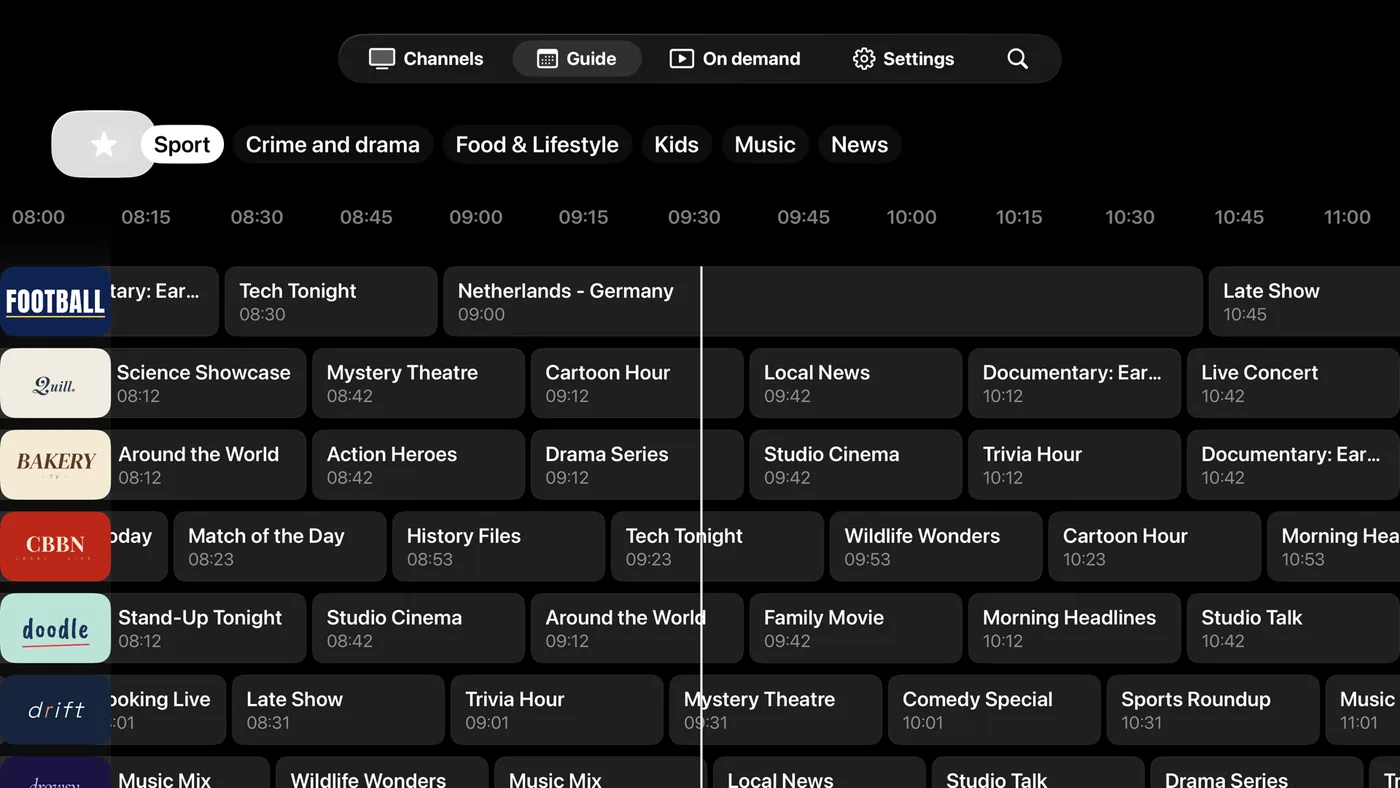
Scroll back in the program guide and programs that already aired are playable when the archive covers them. The Watch Back sheet lists what you can still see on that channel, so you do not have to hunt across a grid for it.
If a program looks like it started at the wrong time, that is usually the guide data rather than the archive. The blog post on the program guide covers how channel IDs and time zones line up.
Back into the program Boost
When your provider keeps an archive, past programs in the guide are playable and the timeline scrubs back into them.
How to set it up
- 1
Open a channel
Start the channel you are watching. The player shows a timeline when rewinding is possible.
- 2
Scrub or skip
Drag the bar back, or double tap the left of the screen to jump back 30 seconds on live TV and catch-up.
- 3
Or pick it from the guide
Move back in the program guide and open a program that has already aired, or use Watch Back to list what you can still see.
What it needs, and what it cannot do
- There is no recording buffer on your device. Rewinding uses what the stream or your provider already holds.
- A live stream is scrubbable when it carries a rewind window of at least five minutes. How long that window is comes from the provider.
- Catch-up needs an Xtream Codes playlist with an archive for that channel, and it needs Boost. How many days back is set per channel by your provider.
- Catch-up in an M3U playlist, through catchup-source tags, is not supported.
- Each catch-up request covers up to six hours.
Questions & Answers
Can I pause and rewind live TV?
You can rewind as far back as the stream itself reaches. Jetpack IPTV does not record live TV to your device, so there is no local buffer to pause into. Many provider streams keep several minutes available, and the player shows a timeline whenever that is the case.
What is IPTV catch-up?
Catch-up is an archive your provider records on their servers, so you can play a program hours or days after it aired. In Jetpack IPTV you reach it from the program guide or the Watch Back list. It needs an Xtream Codes playlist and Boost.
Why is the rewind button missing?
The player only shows it when rewinding is actually possible: either the live stream carries a rewind window, or you have Boost and the channel has an archive. If neither is true, the button stays hidden instead of failing when you press it.
How far back can I go?
Your provider decides. The archive length is set per channel, and the live rewind window depends on how the stream is published. Jetpack IPTV shows what is available rather than promising a fixed number of days.
Does catch-up always play?
Not every panel serves catch-up the same way. The app asks for the HLS form first and falls back to the older TS form, then remembers which one works for that server, so the next program starts without the detour.
Get started with Jetpack IPTV.
Free to download. Bring your own M3U or Xtream Codes playlist.