Stream limit
No more max connections reached.
Jetpack IPTV counts the streams your household is using and lets you stop one on another device, instead of failing with an error.


Free and Boost One stream at a time is free. With Boost, set the limit to match your provider.
Works on
The error is about counting, not about you
"Max connections reached" means your provider is already serving as many streams as your package allows. A second TV, a phone in a pocket, a download running in the background: any of them can hold a connection, and providers often keep it open for a while after playback stops.
Most players simply pass the failure through. You see an error, you guess which device did it, and you go and close the app on it.
Jetpack IPTV counts first
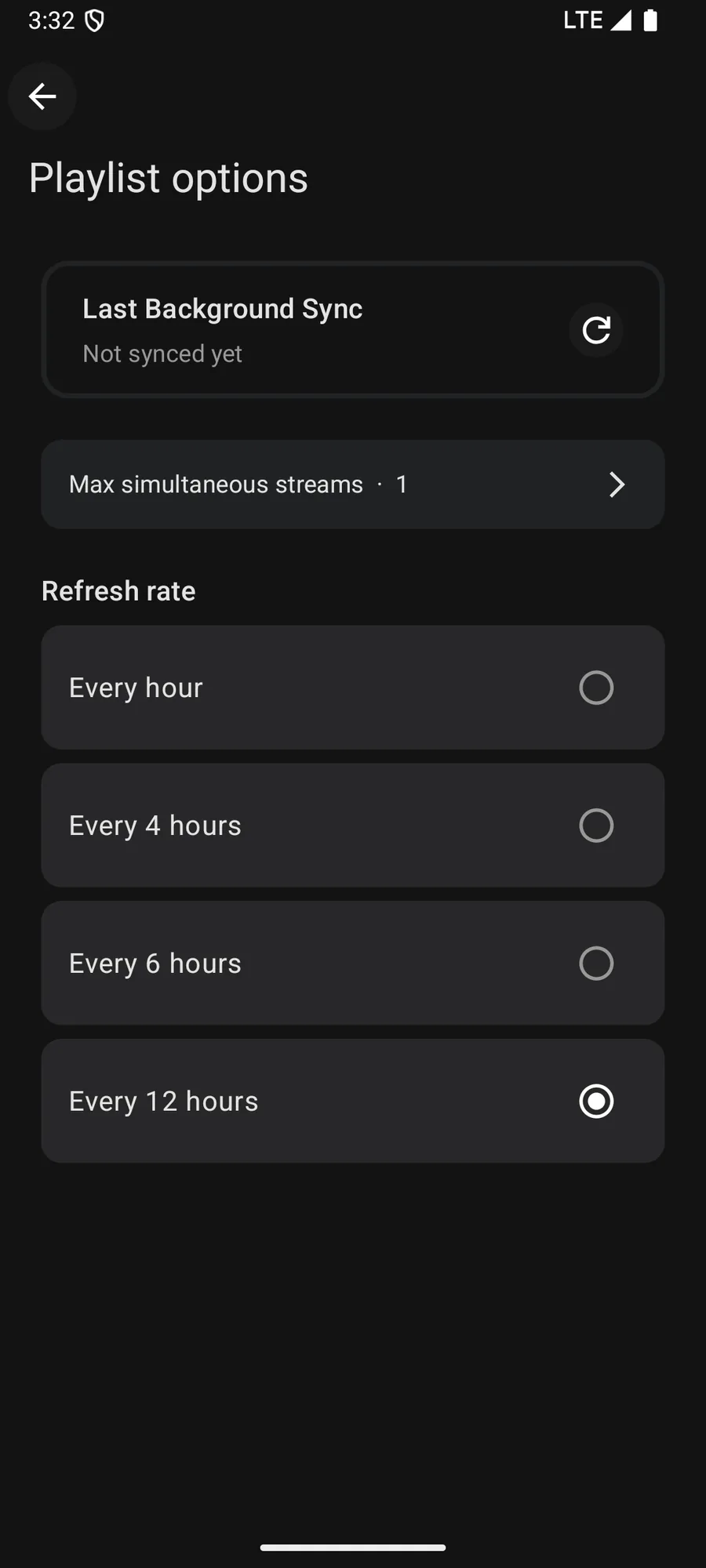
Every playlist has a maximum simultaneous streams setting. By default the app follows the connection limit your provider reports, and you can set it yourself instead.
When you start something that would go over the limit, the app shows what is currently playing and offers to stop one of those streams. Choose it, and your stream starts. Nothing fails, and no device is left holding a connection you thought you had closed.
Who can stop whom
On a shared playlist the rule is simple and the server enforces it. The owner can stop any stream on the playlist. A guest can stop only their own devices. That way a shared playlist cannot turn into a fight over the remote.
How to set it up
- 1
Open the playlist
In Settings, open the playlist and find the maximum simultaneous streams setting.
- 2
Match your provider
Set it to the number of connections your provider sells you. Jetpack IPTV defaults to following what the provider reports.
- 3
Take the stream back
When the limit is reached, the app offers Stop and watch here, which frees the stream on the other device.
What it needs, and what it cannot do
- A free account runs one stream at a time. Raising the limit needs Boost.
- Watching, downloading and recording each use a stream, and recordings take priority.
- The limit is Jetpack's own count of your devices. It cannot raise what your provider allows.
- A guest can only stop their own devices. The playlist owner can stop anyone's.
Questions & Answers
Why does my IPTV say max connections reached?
Your provider sells a fixed number of simultaneous streams. When another device, a download or a forgotten player still holds one, the next stream is refused. It usually clears by itself after a timeout, which is why the error seems to come and go.
How does Jetpack IPTV avoid it?
The app tracks the streams your devices are using against the limit on your playlist. When you hit it, you get a list of what is playing and the option to stop one, instead of a failed stream and an error message.
What is Stop and watch here?
It ends playback on the other device and starts yours. The other device shows that its stream was taken, so nobody is left staring at a frozen picture.
Do recordings use a stream?
Yes, and they take priority. A scheduled recording will not be dropped so that another device can watch, because the recording cannot be repeated later.
Get started with Jetpack IPTV.
Free to download. Bring your own M3U or Xtream Codes playlist.