
Casting
Cast it to the TV.
Send live channels, movies and series to a Chromecast from your iPhone, iPad or Android phone, or to an Apple TV with AirPlay.


Free Free. Chromecast on iPhone, iPad and Android. AirPlay on iPhone and iPad.
Works on
Casting that survives real provider streams
Casting an IPTV stream is not the same as casting a video file. The Chromecast goes and fetches the stream on its own, without whatever headers your provider expects, and a lot of IPTV streams simply refuse.
On iPhone and iPad, Jetpack IPTV handles that by relaying the stream through the phone over your home network. The phone adds what the provider expects and hands the Chromecast something it will play. The practical result: channels that fail to cast from other apps often cast from this one.
On Android the app casts directly, because the platform already does the work.
Your phone stays the remote
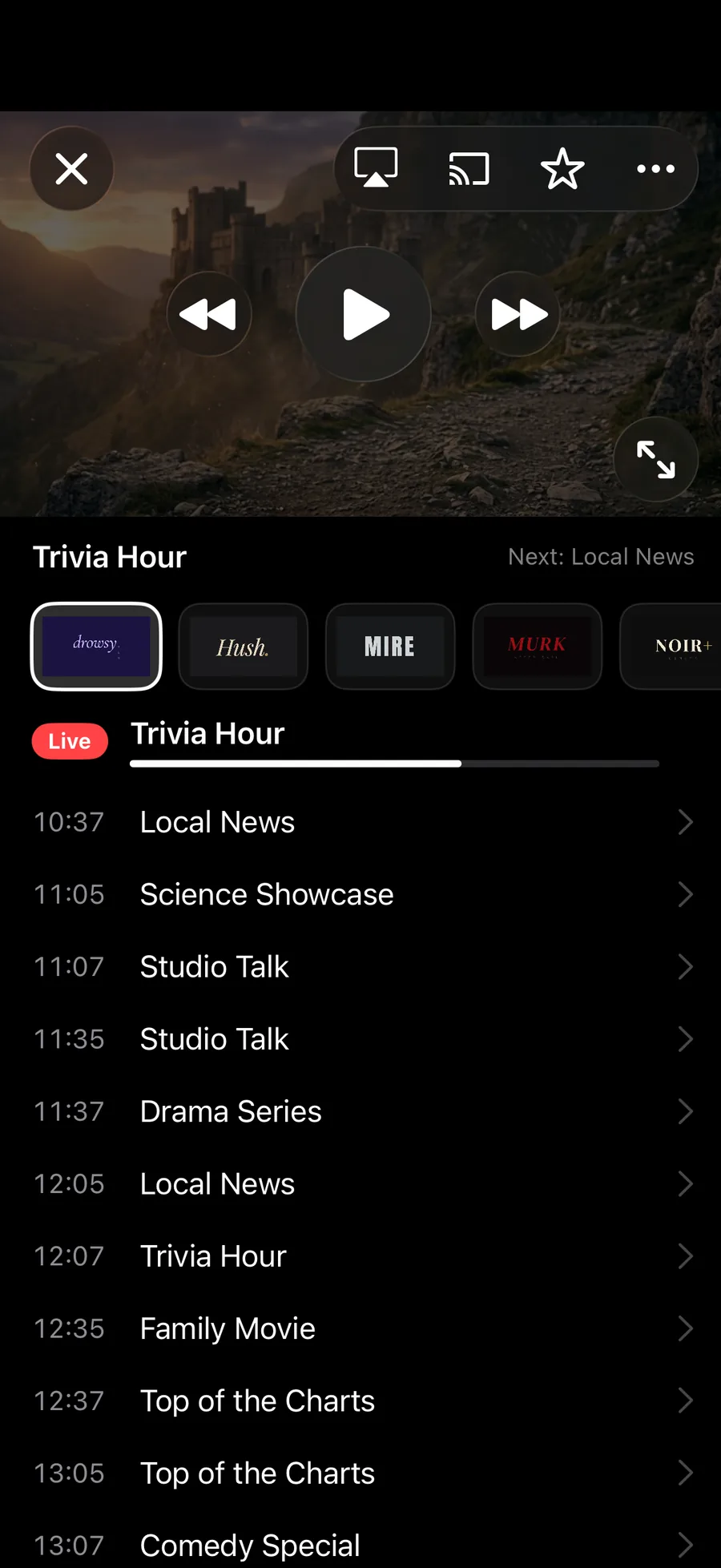
Once it is on the TV, the mini player keeps the controls: pause, channel changes, and the audio and subtitle tracks. Picking a second language while casting works the same as it does on the phone.
When to skip casting
If the TV runs Apple TV, Android TV or Google TV, install Jetpack IPTV on it. Pair it with your phone and you get the full app with the guide and search on screen, and your phone is free to do other things. Casting is the answer for a TV that cannot run the app itself.
How to set it up
- 1
Start watching
Play a channel, a movie or an episode on your phone or tablet.
- 2
Pick the cast button
Choose your Chromecast, or use AirPlay to send it to an Apple TV.
- 3
Keep control
The mini player stays on your phone for pause, channel changes, audio and subtitle tracks.
What it needs, and what it cannot do
- Chromecast works from iPhone, iPad and Android. AirPlay works from iPhone and iPad.
- The Mac app does not cast. On a Mac, watch in its own window instead.
- Casting from an Apple TV or Android TV is not a thing: those already are the TV.
- While casting from iPhone or iPad, keep the app running. The phone is helping the stream along.
Questions & Answers
Can I cast IPTV from my iPhone to a Chromecast?
Yes. Play anything in Jetpack IPTV, tap the cast button and pick your Chromecast. Live channels, movies and series all cast, and casting is free.
Why do some IPTV streams fail to cast in other apps?
A Chromecast fetches the stream itself, and many provider streams expect the headers a player sends, or use playlists the Chromecast will not follow. Jetpack IPTV works around that on iPhone and iPad by relaying the stream through the phone on your local network, so streams that fail elsewhere can still play.
Can I pick the audio track or subtitles while casting?
Yes. The cast controls include audio and subtitle tracks, so a second language does not mean stopping and starting again.
What about AirPlay?
The player has an AirPlay route picker on iPhone and iPad, so you can send live TV and on demand to an Apple TV or an AirPlay TV. If you have an Apple TV, installing Jetpack IPTV on it gives you the full app rather than a mirrored picture.
Get started with Jetpack IPTV.
Free to download. Bring your own M3U or Xtream Codes playlist.